Knowledge Base

Yamaha DM1000 Used: What to Inspect Before You Buy

Published 2026-10-22 · Yamaha · DM1000

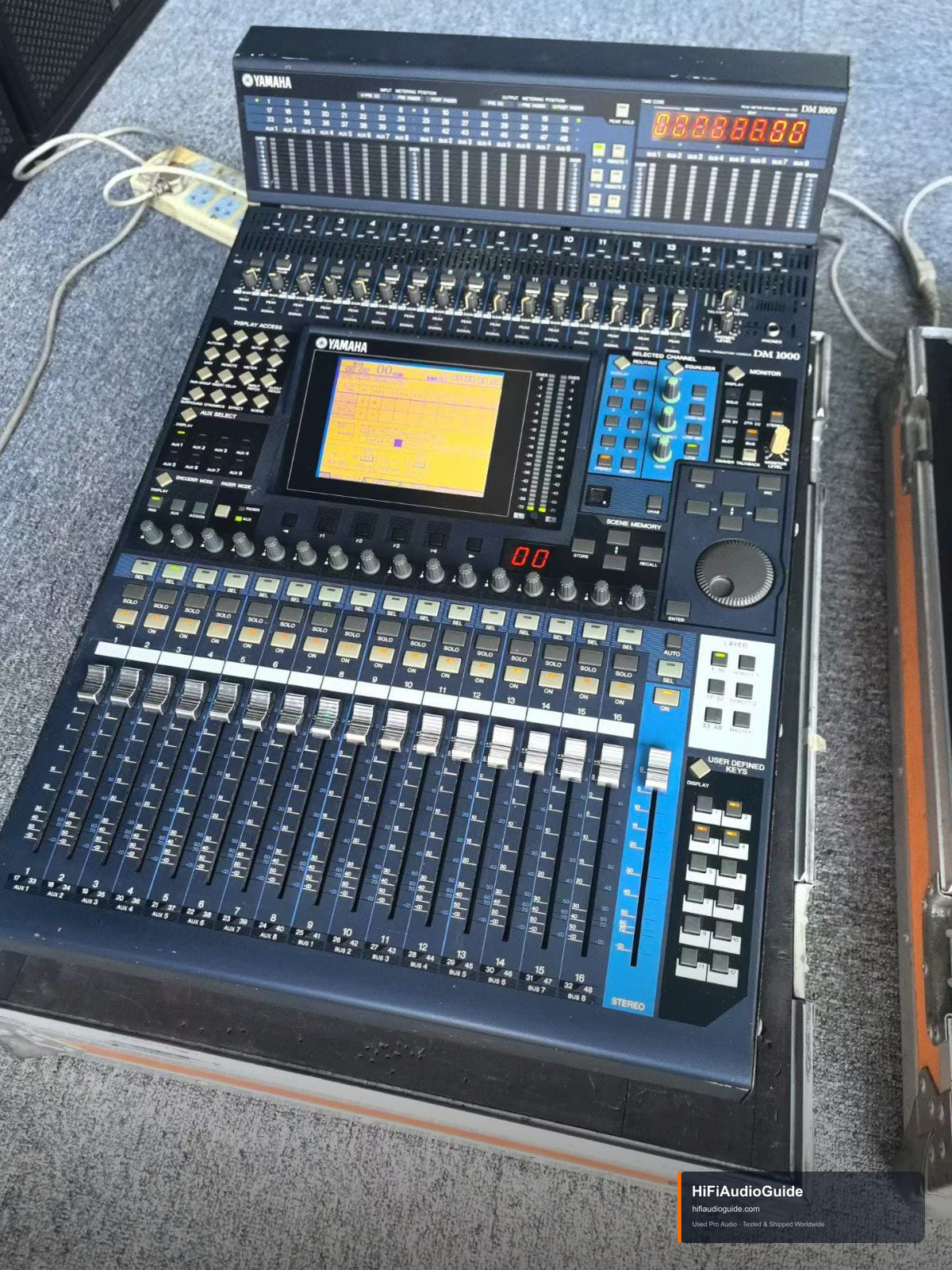
The Yamaha DM1000 remains a practical choice for installs, houses of worship and small live rigs because it packs 48 channels, motorized faders, 24-bit/96 kHz processing and mini-YGDAI expansion into a compact frame — and the used market is deep. Buy on condition, not on the badge. Power it up cold and run every fader through its full travel: DM-series motors get noisy or weak with age, and a lazy fader usually means a tired motor or dirty track. Exercise every encoder and pot for scratchiness, and check the LCD for dim backlight, dead pixels or delamination. Test all analog inputs with phantom power engaged, confirm each output and bus, and listen for relay clicks or hum. Open the card slots — bent pins and missing covers are common. Ask the seller to show the internal lithium memory battery being healthy (settings should survive a power cycle), verify firmware version, and check the internal PSU for bulged caps or fan noise. Scratch scribble strips and missing knob caps are cosmetic, but factor them in.

Related equipment

Yamaha DM1000 Digital Mixing Console NEW B
Mixers

Yamaha DM1000 Digital Mixing Console

Used Yamaha DM1000 digital mixing console with visible signs of use, dust and wear on the chassis. The front panel carries a built-in LCD screen, 16 numbered channel faders and a dedicated stereo master fader, with an integrated digital meter section and visible scene memory and user-defined keys. Suited to live sound reinforcement and recording control work.

Ask for Price View Details

Back to knowledge base